377: A2A C172R & C182T NAV Gauges Released

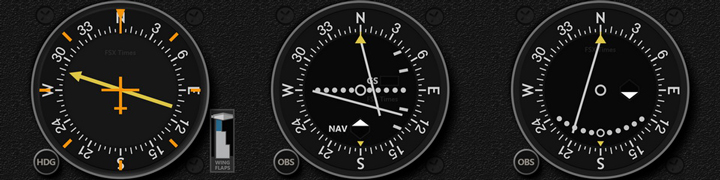
Just completed the testing of the FIP navigation gauges for the A2A Simulations’ C172R and C182T.
A2A_CESSNA_NAV

Anyone interested in this A2A Cessna Gauge Set could click here or the image above for more information.

Current users of my C172SP gauges could contact me directly and inform me their requirements, either in bundle or individually, for discounts.

Will start working on the engine instrument for both aircrafts in earliest possible.   It may take a month or two before they are ready, however.

Again, SPAD.neXt is required to run these gauges properly.


376: A2A C172R & C182T Gauges Released

The summer break is over even though the heat is still lingering.   Actually, since early August, I’ve started working on the FIP Gauges for the A2A Simulations’ C172R and C182T, which have been frequently requested for quite some time.

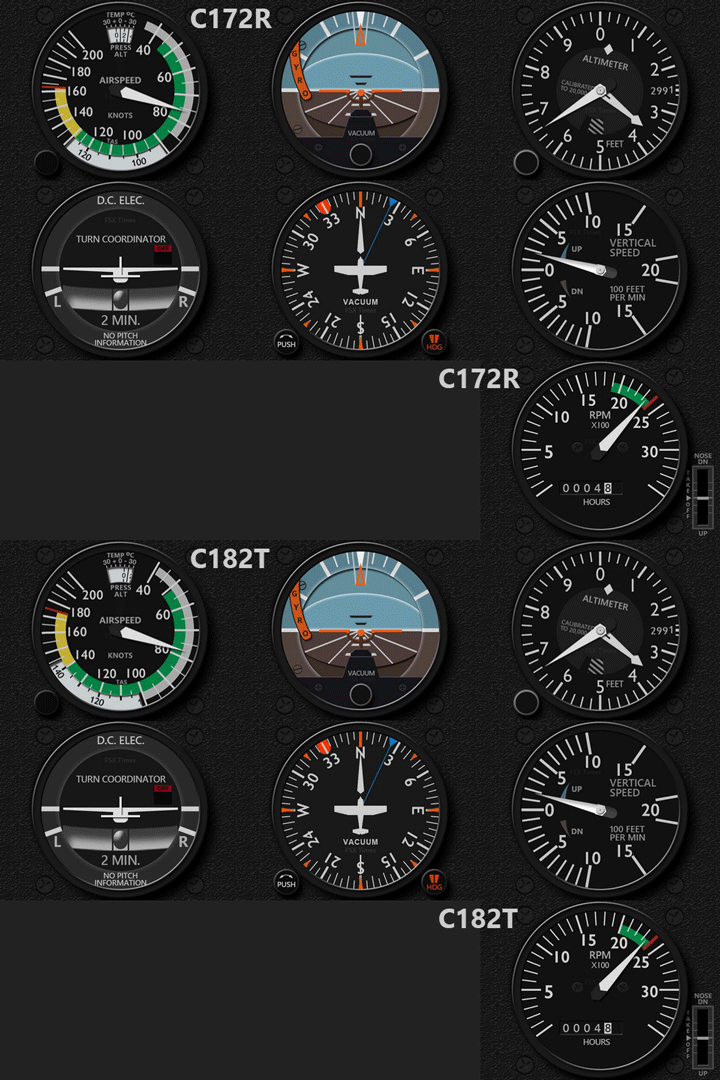
And finally, here it is the first batch containing the seven main gauges:
A2A_CESSNA_B7

Although these gauges look similar to the C172SP ones, they were virtually reworked from scratch for finer details to better match the design on the C172R and C182T.

Coding of them, Continue reading

375: Windows 10 Anniversary Updated

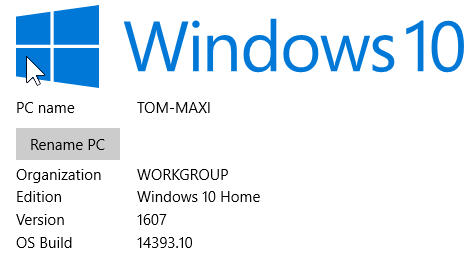
My system just updated to the latest 1607 version (aka Anniversary Update).   As mentioned in my Post 348, I firstly unplugged the Optical Drive and all USB devices before the update.  The process went smoothly and took about 30 minutes to complete. Win10_1607

Had a flight for another half hour and found no problem in either software and hardware.  Can’t say my system now runs better with the update but the opening of some programs do get faster.   Surely, some follow-up tunings are required for personal taste.   But overall, I am quite happy with it.


374: GaugeSwitcher 7a Update

The GaugeSwitcher utility, which allows the quickly switching among different gauge setups without quitting the simulator, has been updated to version 7a.

One of the major enhancements to the version is: the pressing of [Esc] key before profile switching in previous versions is no longer required.

As the video shown above, users just need to:

  • Call up the GaugeSwitcher during a flight session
  • Select the Gauge Profile to switch
  • Press [Confirm], the selected gauges will be activated immediately.

Other new features and changes coming with the new version are: Continue reading

Dear all,
Please note that due to the summer heat, my broken down graphics card and cockpit rebuilding in progress, my response to emails and comments in these two months may be slow.

373: My First Impression of Flying VR

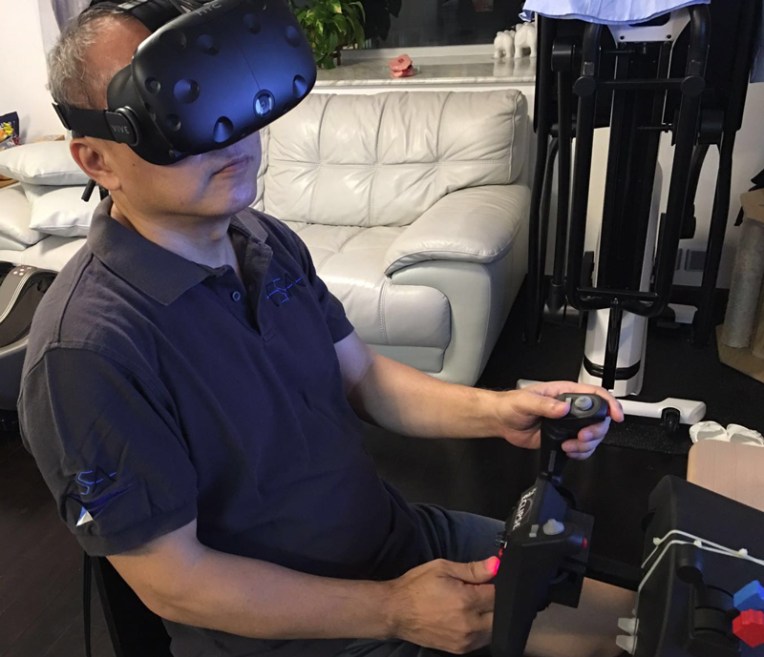
Virtual Reality (VR) is no doubt the hottest topic among game developers and players these days.   Last Sunday, I spent a few hours playing FSX-SE with FlyInside on my son’s HTC Vive setup using the “long-deserted” Eclipse Yoke digged up from my storage.
Tom_on_VR1Wow…was my immediate response after entering my first fight over the Friday Harbor in FSX-SE, while I was physically sitting in my son’s living room with the huge VR goggle putting on my face. Continue reading
372: A Precaution to Avoid Burnt

As I replied to some friends, my Post 369: Aerofly is Good but Be Careful was by no mean to scare anybody who is interested in the new simulator.   The post simply states a fact that my card was burnt during the game and gives my personal comment to others who are using or are intending to use the software.

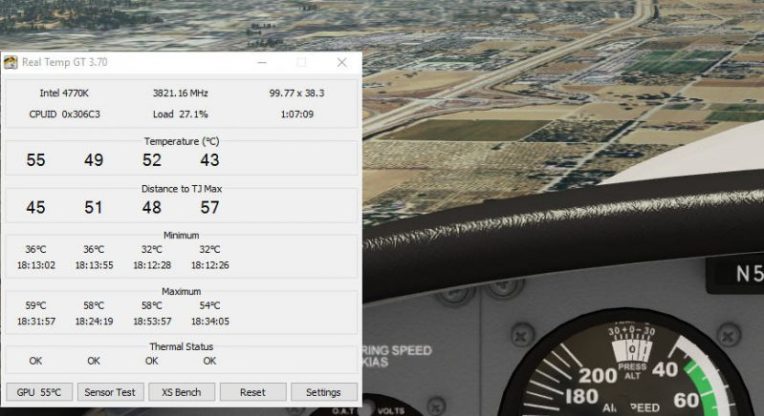
To play safe, I have installed Real Temp to monitor the CPU and GPU status of my computer.   The utility can be configured to stay on top of all displays.
I used to run Real Temp Continue reading

371: exe.xml Edit for FSX-SE

Since there is a friend David who is asking for more description to allow FIPs to work in SE, here’s the details:

1)
Type “%AppData%\Microsoft” in File Explorer to go to the “\Roaming\Microsoft” directory.

If you have FSX boxed version on the computer as well, you will see both “FSX” and “FSX-SE” folder under the directory.  Otherwise, you will see “FSX” only.

2)
Click on the “FSX-SE” folder and open the “exe.xml” file.

Note that this is the only file you’ll need to edit to allow FIPs to work in SE.

3)
Inside the file, you will see the following script: Continue reading

370: Activate Saitek Driver in FSX-SE

I purchased FSX-SE a year ago but abandoned it after briefly playing it for awhile fSX-SEbecause many setup procedures “seemed” to be different and I’d rather spend more time on my grandson at that time.

Last week, I picked it up again due to the recent Summer sales on Steam, where I finally got the long waited Flight School app.

This time, I seriously compared it to the box edition and found that the differences in structure between the two versions actually aren’t much.  I quickly copied Continue reading