320: SPAD.neXt with FIP Support Released

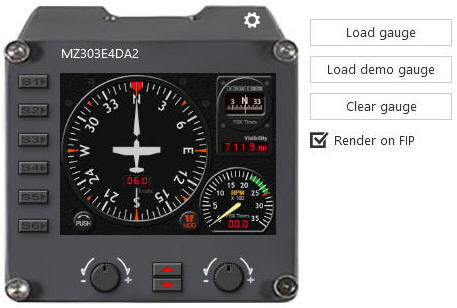
SPAD.neXt (Saitek Panel Advanced Drivers neXt Generation) by Ulrich Strauss is a replacement driver for Saitek’s Flight Simulation Panels.   The just released version 0.8 now provides full support to Saitek’s Flight Instrument Panels as well.

HDCMPIndeed, the recent drivers from Saitek have brought improvements over older versions.  That’s no doubt about it.  But they are still lack of flexibility and configurability.   Especially, the company’s FIP driver still only support a subset of the simulation variables.  This has caused incompatibility issue among those 3rd-party aircrafts which use the simulation variables extensively in their designs. Continue reading
319: B58 and A36 FIP Gauges Preview

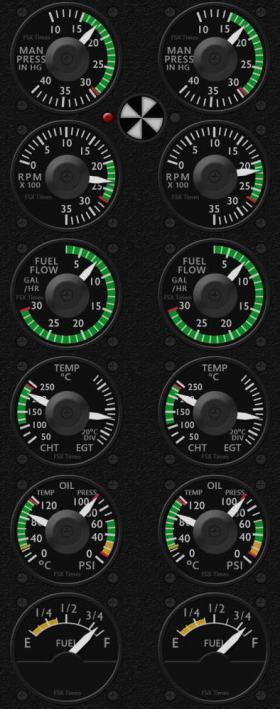
B58 ENGLately, half of my minimal flightsim time were spent on creating new FIP gauges for Baron B58 (both default & Carenado versions) and Bonanza A36 simultaneously as they share many similarities.

Different from the last C172 gauges which categorizes into Standalone and Integrated versions, and charges separately, the new B58 and A36 gauges to come will include both Standalone and Integrated or Extended gauge face-plates altogether in a single package, when applicable.

This includes customization for both default and Carenado aircrafts, making some of the gauges consisting of up to four different versions.

In addition, the installer for the new gauges will be compatible to Windows 10 and the new Saitek drivers file structure as well.

Followings are a few more preview screenshots of the gauges already completed or about to complete.   Continue reading

318: Another Network FIPs Start Up Approach

In response to the last article regarding Starting up Networked FIPs Locally, Michael Basler recommends another simpler and even more versatile approach.   Here’s the note from Michael:

==========

I start the simulator Continue reading

317: Starting Up Networked FIPs Locally

TechLevel02W
Putting FIPs on a networked PC
could reserve system resources for the simulator but the FIPs on the remote computer have to be started manually.

Stefano Cancelli in the Comment section of the story provides a solution by using a Microsoft utility called PSExec.    Via PSExec, the FIPs on the networked PC can now start up automatically when FSX on the local computer launches, and quits when FSX exits.

Very useful tips and followings are the instruction from Stef: Continue reading

News: New FIP Driver and New Simulator

Noted by Jack Pickett, Saitek has released a newer driver 7_0_42_12 for the FIPs.   It updates all “DirectOutput.*” files under “C:\Program Files\Saitek\DirectOutput” directory.   As usual, you won’t get any idea from the company regarding what’s been fixed and changed in the new driver.   Anyway, it works without a problem.

In addition, Paul Racines sent the link of a coming simulator by NGIS (Next Generation Interactive Software).   Watched the video at the bottom of the page.  Very impressive.  Not sure what it will bring to general flightsimmers yet.

Thanks Jack and Paul.


316: A Quick Word on P3Dv3

Is Prepar3D version 3 better ?

Definitely.   I find improvements a little bit here, a little bit there.   Overall about 10% better than the last version 2.5 in general I would say.

Justified to pay in full again ?

Definitely NOT.   I accept an upgrade fee but definitely not willing to pay in full again.

Sadly, we don’t have a choice if we want to stick with Prepar3D.   We will do it sooner or later eventually.

Finally, be prepared to pay again after another 24 months or so.   What a company !

315: A Temp Solution to Fly P3Dv3 with Existing Addons

TechLevel01W
The new Prepar3D Version 3 (P3Dv3) takes the same approach P3Dv3_00as its predecessors to include the version number in its system registry (from Prepar3D to Prepar3D v2 to Prepar3D v3).   Making many addons have to rebuild a new installer in order to recognize the change, even when the new P3Dv3 is installed onto the same drive and same program directory as the previous version.

For those who wouldn’t want to wait for the release of new compatible installers, here’s a quick temporary solution to run the new P3Dv3 with existing addons from earlier versions.

I am using Orbx’s addon as an example.   And the region used in P3Dv2 is set to FTX Global Hybrid.

My Prepar3D version 2 is installed on P:\Prepar3D, and version 3 on P:\Prepar3Dv3.
Continue reading

News: Shaders Cleaner is now P3Dv3 Compatible

A new version of the Shaders Cleaner has been added for Prepar3D v3.    Next update will handle systems installed with both version 2 and version 3.

Medecins Sans Frontieres (MSF) / Doctors Without Borders needs your support.