314: Connecting FIPs on Networked PC

TechLevel02W
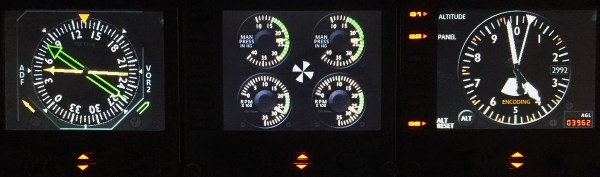
Running Flight Instrument Panels (FIPs) will drag the performance of the simulator to some extent.   To minimize the impacts on some not so high-end PCs, off-loading them to a spare computer isn’t a bad idea.

FIP B_Gauges
Off-loading FIPs to Another Computer Could Minimize Performance Hit to the System.

To those who are “network-phobia”, here’s an example how I put the FIPs (with some help from Ricardo in the first place) to work on a spare computer in my family network. Continue reading

313: A Reply to Stutter Quick Fix

Stutters are annoying.  A friend asked if there is any quick fix to stutters since he has fed up with the endless tuning of his system.  Yes, just turn off all the traffic and you will see instant improvement.   Actually, many videos found on the Internet are taking this trade-off approach to render a smooth screen display.

The fix is quick but certainly not a perfect solution.


312: Make a Better World, Virtual and Real

Rebuilding shader cache is a commonly used method to fix many issues suddenly coming up without a proper cause in either FSX or P3D.  Shaders Cleaner helps clean Shader Cache right before the loading of FSX or P3D.


Anyone interested to get a copy the utility please make a donation to Medecins Sans Frontieres (MSF) / Doctors Without Borders so as to help those people out there needing the love and care from the medical humanitarian organization.

Proposed donation amount is USD 5.0 for either the FSX or P3D version of the utility, or USD 8.0 for both versions.   More are appreciated, of course.

To make your donation now, click here.   Or you can click on the Shaders Cleaner images above, and then click on the [DONATE NOW] button and forward your MSF donation receipt to me at tom.fsxtimes@gmail.com.  Do specify which version (FSX or P3D) of the utility you prefer.  Download link will be sent asap.
MSF_dual_English_SMALL1
What the world needs now is love.  Let’s give a hand to make a better world, no matter it’s virtual or real.


311: Prepar3D v3 Available Now

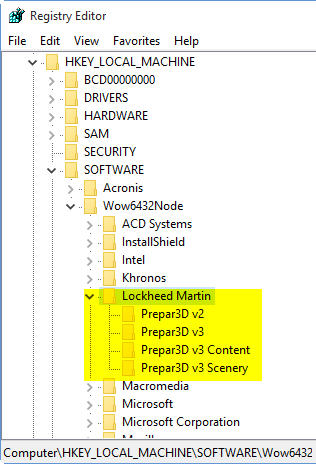
Just in case you are not aware.   Version 3 of Prepar3D is now available.   It’s a good thing to see improvements from the simulator.   But it’s sad you need to pay again — no discount, no upgrade — strictly business.

Nevertheless, simmer’d better hold their upgrade for fixes to new issues reported, especially to those who are Orbx scenery fans since addon installation is different again.

Afterall, there’s no discount for early birds.   Why rush?

310: Free Mesh

Just came across this FreeMeshX from NineTwo Production on the Internet, which was released in early May.   It looks gorgeous.  Some simmers on the Avism.com forum (extra information about the FreeMeshX here) say it is significantly better than the FS Global or even the FS Global Ultimate in some aspects.

It’s completely free.  Worth some download hours to get them, especially you don’t have any mesh so far.


309: When can the Simulator Pit be Filled

Fantasized for months to get myself a Nvidia GTX Titan card after reading reports and youtubes about the phenomenal boost in FSX/P3D performance with it.   The past weekend, I finally made to get an over-clocked Titan X seated in my system.

Zotac-Titan-XMy first impression about the card out of the box — Continue reading

308: Switching Between inHg and mBar

A friend recently asked if there is a simple way to change the barometric units from inHg to mBar on the Altimeter.   Unfortunately, no, it is NOT possible on the earlier free gauges.   But YES, it is possible on the paid gauges as their codings and image designs have been rewritten.

This automatic barometric unit switching feature should have been implemented earlier.   Anyway, here it comes at last.

C172_ALT_inHg-mBar

Users of  the current Continue reading

307: Wet Compass Got a Face-Lift

Received some comments from friends who said the faceplate of the current Standalone Wet C172_CMP_150710C_NarrowedCompass is a bit wide.    Well, it very much depends on personal preferences.

Anyway, here’ the face-lift version.   Current users should have the new faceplate in their mailbox now.

If not, let know me in the Comment section below.

306: The New Saitek Drivers – Part 2: SaiFlightFip.xml

The ability of starting up multiple FIPs in specific order everytime has been a feature requested by almost all FIP users for a long long time.   Saitek has finally implemented it onto its new drivers.   However, this feature may need another tweak in order to function.

After the installation of the new drivers, a file called “SaiFlightFip.xml” containing the current setup information of the FIPs and the gauges should be created accordingly.

Via this “SaiFlightFip.xml”, the start-up order of the multiple gauges can be specified as desired.

The file is supposed to be stored under: Continue reading