
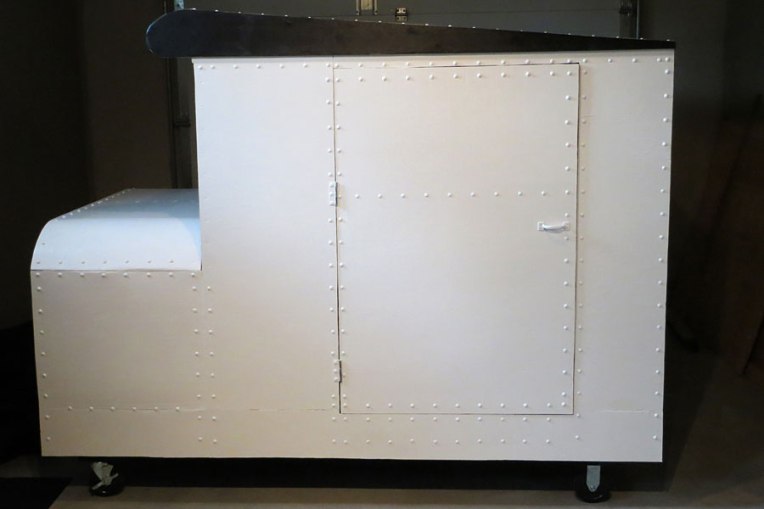
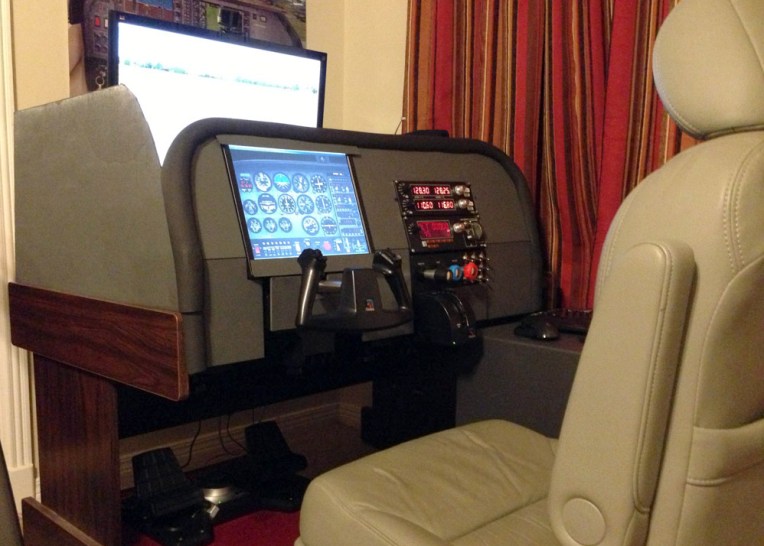
The cockpit of Sam Jay (Sambo71) is put in a confined fuselage with a wing-shape cover on top of it.
Builder: Sam Jay
Location: Gibson, BC, Canada
ICAO: CAP3, Sechelt Aerodrome
The cockpit of Sam Jay (Sambo71) is put in a confined fuselage with a wing-shape cover on top of it.
Builder: Sam Jay
Location: Gibson, BC, Canada
ICAO: CAP3, Sechelt Aerodrome
I’ve been talking about moving to multi-monitor setup for nearly 2 years. Finally, here it comes my new multi-monitor setup:
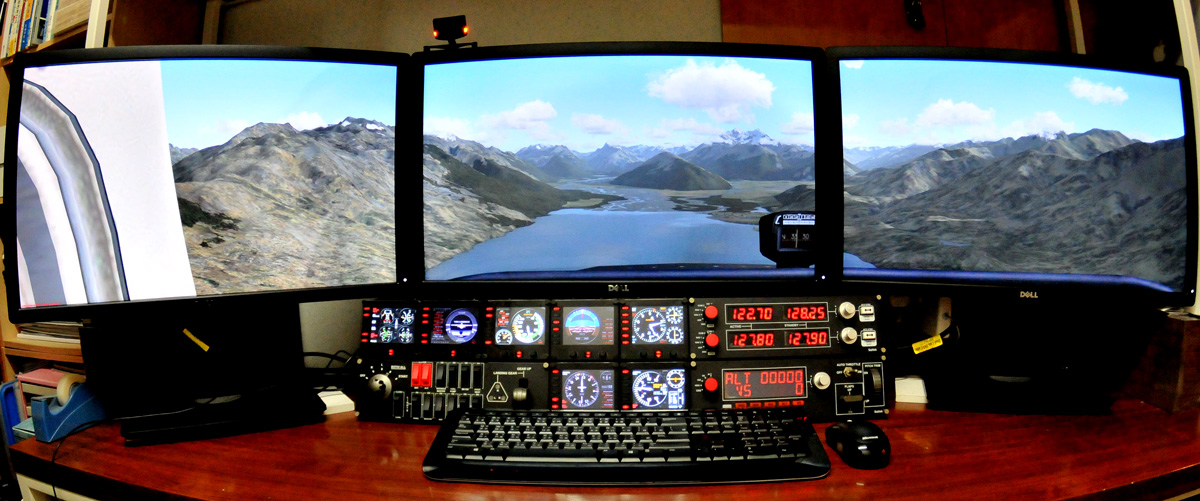
One major obstacle that’s been preventing me from upgrading in the past was the 30-inch monitor I’ve used for over 5 years. It was (is) still in good condition that I couldn’t make up my mind to replace it without finding a good outlet for it. Also, the price for getting another two 30-inch monitors was also a big concern.
Hi all,
Just back from my trip. But it may still take a while for me to get back to all comments and requests.
Tom
Dear all,
I’ll be away for the next few weeks; so there will be no updates and replies until mid-March.
Although I said that FSX is still my preferred simulator platform, it doesn’t mean that I am totally giving up on P3D V2. The two main issues that stop me from swtiching to this highly expected simulator are third-party addon compatibility and lagging FIP gauges.
For the first one, I couldn’t do anything but to wait for updates and fixes from either Lockheed Martin or related developers or we users ourselves. For the second, after weeks of on-and-off trials and errors, I am glad to say that the lagging issue my FIPs encountered has been generally reduced to a minimum level that is now fully playable under P3D environment.
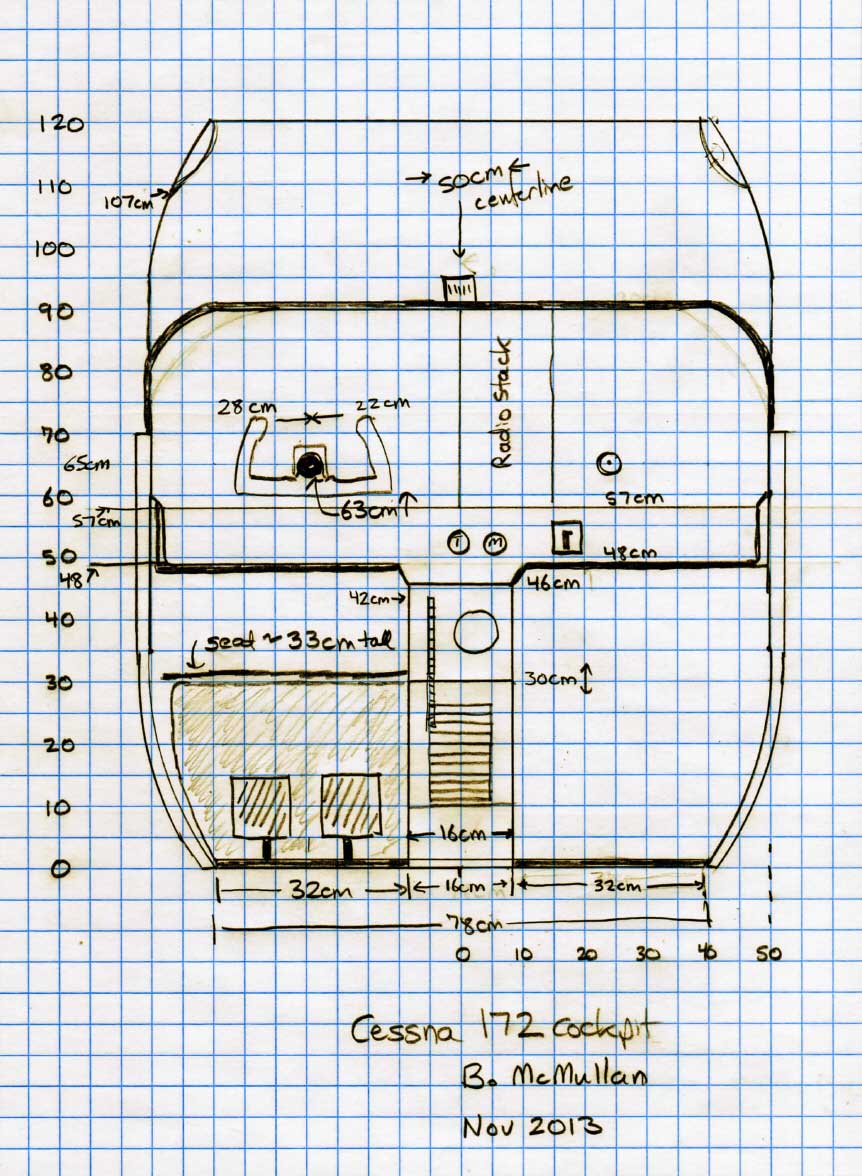
Brian McMullan who lives in Louisville, USA earlier sent me his measurements of a real C172M cockpit, from which he replicates his virtual one at home.
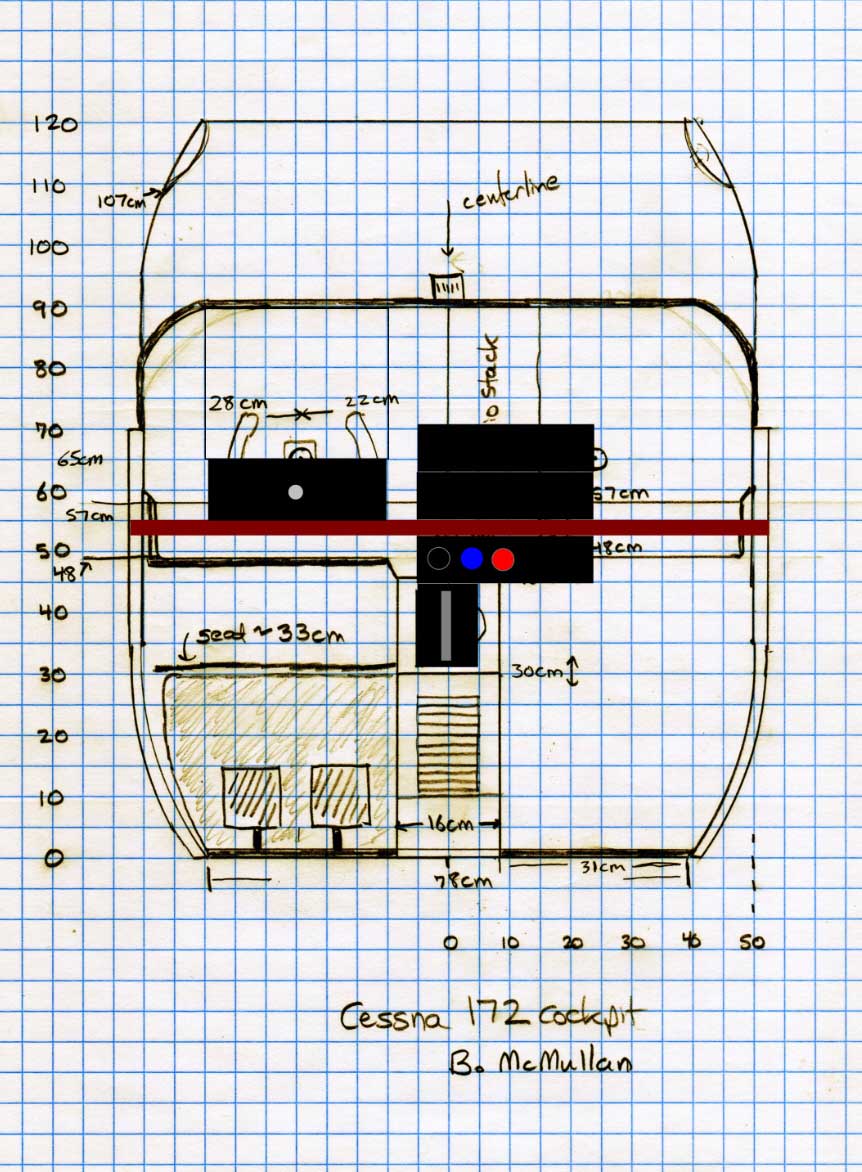
The sketch on the left below is the measurements (in centimeter; no distance of pedals from front to back) that he climbed in and measured it out from a real C172M that he usually flies. The one on the right is how he put the Saitek parts on the table top of his virtual cockpit. Even though no FIPs, Brian says that they should fit between instrument LCD and Saitek radio panel, if installed.
You can see the photo Continue reading
Here’s the beta cockpit from Brian McMullan, who uses the middle seats out of his wife’s Honda Odyssey van that he thinks it’s a much nicer seat than what’s in the C172M he actually flies in.
Builder: Brian McMullan
Location: Louisville, USA
ICAO: KLOU, Bowman Field Airport
Van Vangyver, a member of the “Swedish Home Cockpit Builders” group, recently sent me some CAD files that he drew for the “Piper PA28 181 Archer II Simulator Project” run by Esko Haanpää on facebook.
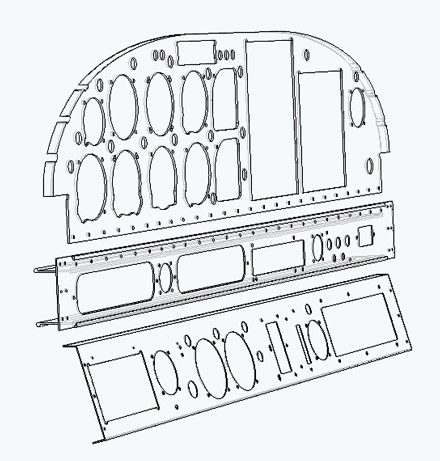 Dimensions of the drawings are based on a real Cherokee PA28-140 and Esko’s project requirements. The files, in .dwg, .dxf and .pdf format, can be printed on 25 standard sheets of paper with cut marks so that they could taped together for a full-scale template.
For those Piper PA28 lovers wanting to build their own cockpits, the instrument panel files are great references.
Courtesy to HDWallpaperImages.com
 FS Times