
177: Move on to the12.8 Radeon Driver

After I downgrading to Radeon 11.x driver for nearly 5 months, AMD finally released a good enough 12.x driver for the FSX.   It is also the choice of Samy Fay who recommended the driver in a comment about his crossfire setup a week ago.
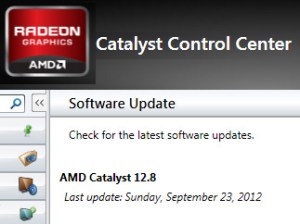
I wouldn’t say the new driver boosts the FSX’s performance obviously.   Also my observation is subjective.   However, my FSX running under this 12.8 version does give me an impression that it is above the overall level of the last 11.12.
Continue reading

152: Downgrade to Radeon Version 11

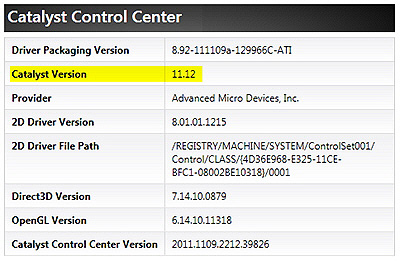
Besides the latest OpenGL issue with TrackIR, Radeon’s 12.x driver has been giving me a subjective impression that FSX micro-stutters a little bit more than its predecessors.   This is even more significant after upgrading my system with Orbx’s latest patches.
Busy work is the excuse that keeps me using this version.   Since I am a bit free this weekend, I downgraded the video driver to 11.12 to verify my subjectivity a fuss or not.

Continue reading

130: Radeon Settings for HD6970

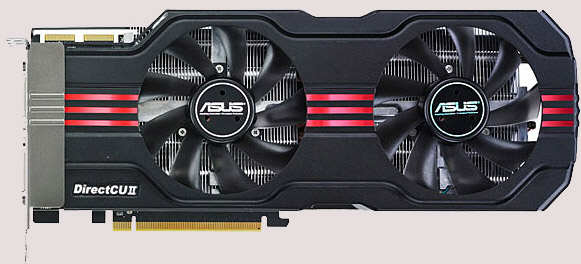
In terms of FSX performance, my newly added ASUS HD 6970 Direct CU II graphic card is just slightly better than my previous ASUS Matrix HD 5870However, it does bring a better image quality and a much cooler and quiet environment to my system.  Moreover, the card allows connection up to six monitors, giving me flexibility when planning for future multi-monitor system upgrade.

The Radeon driver I am using is the latest 11.11 (updated on Nov-28).   Despite the new features come with the new driver, the Mipmap Detail Level option in 3D Application Settings was gone for the HD 6970.    Moreover, the Wide-tent and Narrow-tent filters of Anti-Aliasing were combined into one Edge-detected filter.

Continue reading

120: AMD Radeon Driver 11.9 Update

Just updated my Radeon driver to 11.9 for a few days.

My impression from the overall result of the new driver is more or less the same as when I did the 11.8 update — no obvious increase in fps but feel a little bit smoother.   Seems like the driver is getting better every time it updates.   Maybe it is psychological since no direct comparison could be made.   Anyway, don’t see any performance hit either.

Settings for the 11.9 driver remain unchanged as in 11.8.

Read some posts reporting the drop in fps after the 11.9 udpate.   No idea what causes the issue but Rebuilding the Shader Cache may help.

In particular for driver updates, I will beforehand backup both my Windows drive and FSX drive (using Acronis True Image) just in case.   This saved me several times in the past.

109: An Alternative to Framerate Display

Pressing Shift-Z in FSX can display a bunch of information regarding the current flight session, such as framerate, position, heading, airspeed, etc.   However, there is no way to change the position, font size and color of the text of the Shift-Z command itself.

ATI Tray Tools by Ray Adams is a good alternative and it can display information about the computer status as well.   Actually, ATI Tray Tools is a powerful Radeon card utility that offers extra advanced video card features beyond the official Catalyst Control Center.
Continue reading

88: My FSX Tuning Part 2 – Display Card

After the initial setup in Part 1, the second thing to look at is now the display card because many issues of jagging, blurry, shimmering and stutter in FSX are all related to the settings of it.

My display card is an ASUS Matrix HD5870 over-clocked to 970MHz/5000MHz (default 894MHz / 4800MHz).  Current Catalyst driver installed is 11.8.

The focus of display card setting is to get the best balance between image quality and game performance.  The results below are decided based on many testings under various conditions.  However, further changes may still be needed as the tuning process goes. Continue reading

85: AMD Radeon Settings (11.8 Updated)

Just upgraded to version 11.8 a week ago and in my case the new driver brings a positive result — places where used to have stutters now become smoother even though no obvious increase in overall fps.

Two major changes in setting I use in the new driver are the enabling of 64X Tessellation and Surface Format Optimization. Both of them were causing some degrees of performance degradation.  Click here to see my earlier 11.7 setting. Continue reading

68: AMD Radeon Settings (11.7 Updated)

Graphics Card: ASUSTeK MATRIX HD5870 P/2DIS/2G
OC to 970MHz / 5000MHz  (default 894MHz / 4800MHz)

Radeon Driver: 11.7

New changes are highlighted in yellow from version 11.6 since 11.4 Continue reading

37: Clean Install Display Driver

Display driver plays an important part in Flight Simulator.   How to install it or uninstall it will impact FSX’s performance and stability, especially when switching from NVIDIA to ATI or ATI to NVIDIA.

It is widely known that even after a program or a driver is uninstalled, many “tails” of it will still remain in the system.  It is therefore necessary to ensure that a display driver will only be installed or updated onto a clean environment at all time.

Following is how I update the ATI display driver from 11.3 to 11.4   Continue reading