
RESTORE
Follow the steps below to restore your drivers after a reinstallation:
6)
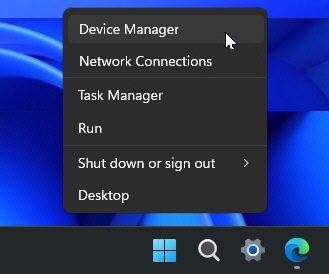
Press Windows Key + X or right-click the Start menu button. Then select Device Manager from the menu.
7)
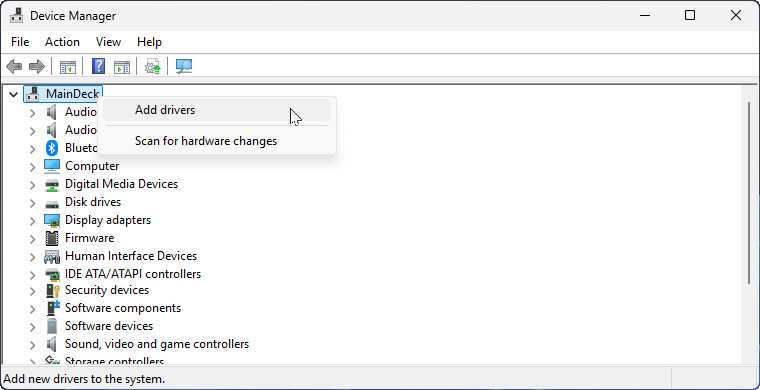
Right-click on the Computer Name (the very top item in the list, e.g. MainDeck) and select Add drivers.
8)
Click Browse and navigate to the folder where the backup drivers were saved (e.g. D:\SystemDrivers).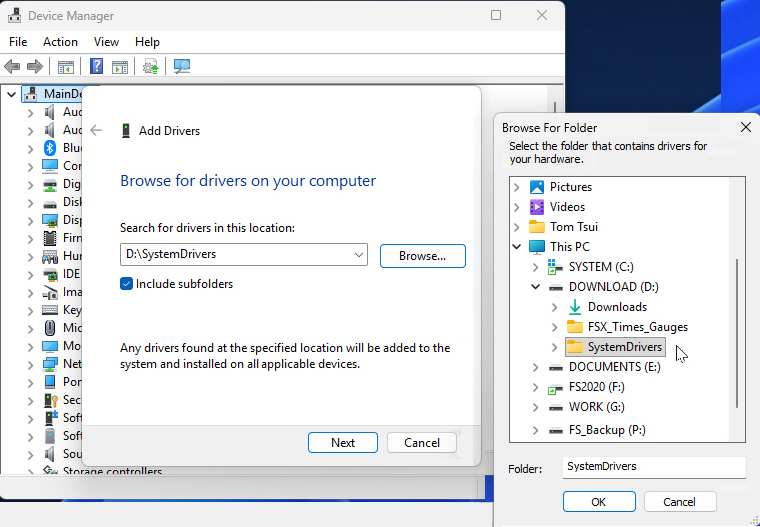
9)
Click Next, and Windows will automatically reinstall all drivers from the backup folder simultaneously.
–
–
10)
Once the restoration is complete, reboot the computer to ensure all drivers are properly activated.
–
====================
Restoring Drivers for any Single Device
If you want to restore the drivers for a specific device only, the general process from steps 6 to 10 still applies.
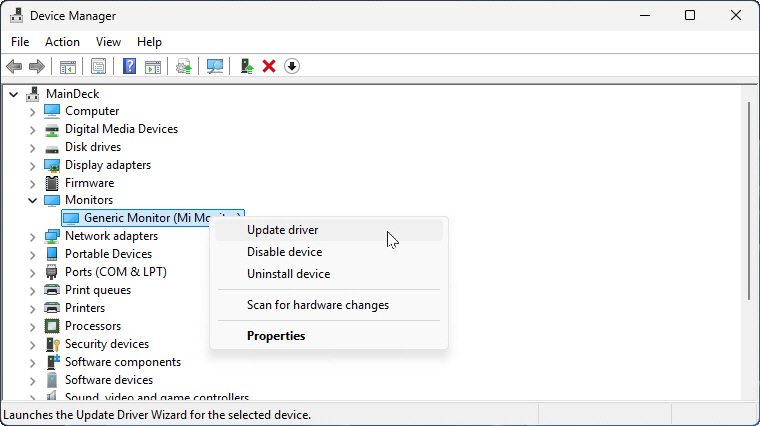
The only difference is that instead of right-clicking the Computer Name in step 7, you should locate the target hardware in the list (e.g. Monitor). Then right-click it, and select Update driver.
–
–

