213: Avoid Messing up C172 EZDok Profile

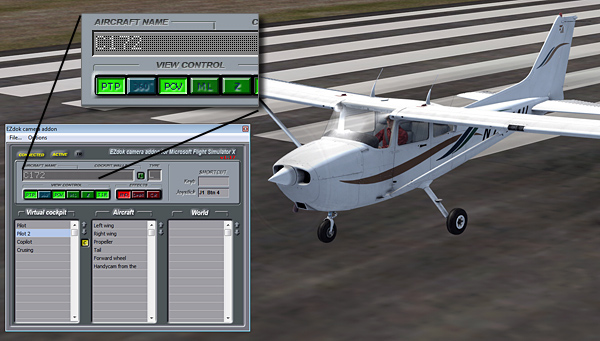
The newly released A2A C172 Trainer is quite troublesome.   Despite the various Saitek accessory incompatibility issues waiting to be solved, the aircraft can mess up the EZDok Camera settings of the default C172 as well.   Because the aircraft is using an atc_model name of C172, which is exactly the same as what the default C172 is having.

EZDok-01

If you are unaware of this and Continue reading

209: Improve FIP Smoothnesses

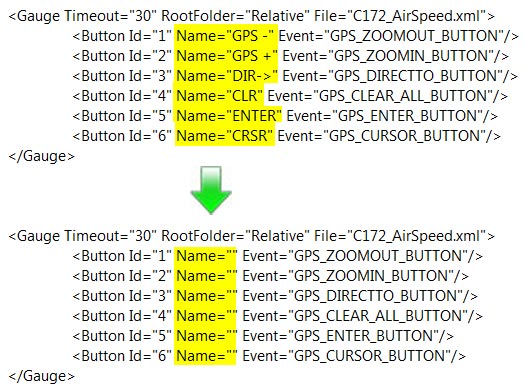
The default Gauge Timeout value that controls the refresh rate of Saitek’s Flight Instrument Panels (FIPs) inside SaiFlightSimX.xml file is 100.   Lowering the value could bring some improvements to the smoothness of the display on the device.

However, setting the value too low or at 0 could inversely impact not only the FIPs but also the performance of FSX.

<Gauge Timeout=”20” RootFolder=”Relative” File=”Gauges\AirSpeed.xml”>

I found 50 a good start and 20 a good balance.   Your mileage may vary, of course.

206: Cut The Flows

TechLevel01W
ObjectFlow (for grasses, trees, animals) is a promoted feature in Orbx’s many airport ObjectFlowproducts.  Although it adds interesting stuffs to airport surroundings, it kills performance, too.

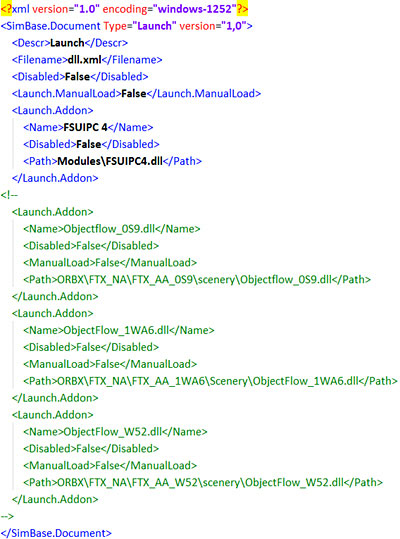
If you mostly fly your aircraft in the air rather than manuever it around airports, try cutting all or most of the ObjectFlow.dll in the DLL.XML file under the directory of fsx.CFG (C:\Users\<user name>\AppData\Roaming\Microsoft\FSX).

You could simply use the <!– –> notation pair for quick removal in case you want them back.

Try and see for yourself.  You could be amazed.

Continue reading

197: Tidy Up FIP Gauges

TechLevel01W

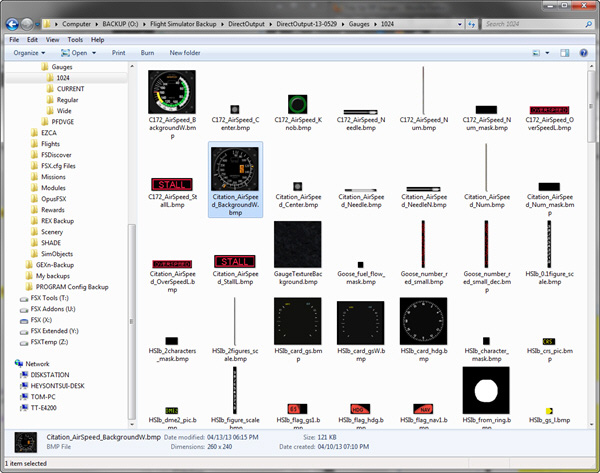
By default, FIP gauges files are put under the DirectOutput folder.   However, when more and more gauges are added to the system, the gauge files accumulated under the folder and its subfolders, especially the 1024 folder where bitmaps are stored, are getting harder and harder to identify.

FIP Folder 06

To tidy them up in a logical manner, Continue reading

196: Remove Addons Promptly

TechLevel01W

Last post we talked about adding addons to the exe.XML file so that they can be run automatically when FSX starts.

In case there are some addons we no longer need or we just want to disable some of the addons temporarily, instead of deleting them from the exe.XML file, we can parenthesize the module(s) with the following xml notations.

Continue reading

195: Run Addons Automatically

TechLevel01W

There are certain addons one may need to run before, during or after the loading of FSX.   For example, the pmSounds from Project Magenta is one msut-have feature I normally run alongside with the FSX.

Instead of clicking the addon’s program icon every time, I just put the addon in the following format:

__<Launch.Addon>
____<Name>pmSounds</Name>
____<Disabled>False</Disabled>
____<Path>T:\pmSounds\pmsounds.exe</Path>
__</Launch.Addon>

and
Add the above module to the exe.XML file
under C:\Users\<your name>\AppData\Roaming\Microsoft\FSX — the directory where fsx.CFG is stored. Continue reading

190: Hardware Selection Guide

I’ve been planning to build a new PC for many months now.   Unfortunately, final decision still hasn’t been  made due to rumors that this and that newer and better hardware are coming in a few months — I know we never can catch up with the latest technology.

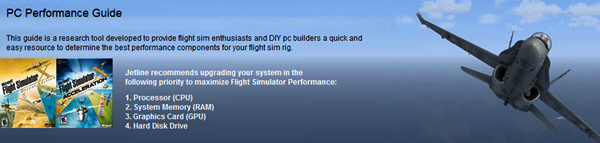
Anyway, the following guide from Jetline Systems that I came across is a good quick reference.   For example, I originally put Nvidia GTX 690 on my purchase list for the new PC since I am planning to expand my system into a 3-monitor setup.   The guide reminds me again that Nvidia GTX 690 and other dual GPU cards might significantly impact FSX performance.   Even though the info isn’t detailed and comprehensive, I am now putting the card on hold and searching for more information.
PC Performance Guide

If you are planning an upgrade for your computer like me, worth taking a look of this guide to get some references of what hardware we should focus on for a better FSX system.  We could also gain some hardware information that the company selects to build their PCs for FSX customers.

181: My Ultimate Cockpit Views Update

With the installation of 7 FIPs, my ultimate cockpit views defined and used since May 2011 have been changed as follows:

1. Landing/Takeoff — showing the hood from the pilot seat on the left
2. Cruising — showing outside scenery only
3. Normal Cockpit — used only when FIPs are turned off

Continue reading

178: An Alternative Cockpit

For those simmers who would like to have a separate gauge display in their setup but don’t have a second monitor or any Saitek’s Flight Instrument Panel, Cockpit HD from RemoteFlight is a pretty good alternative.

The prerequisite: you need an iPad and it’s better to be the new retina one.

Continue reading