177: Move on to the12.8 Radeon Driver

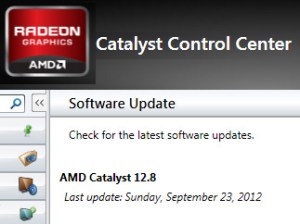
After I downgrading to Radeon 11.x driver for nearly 5 months, AMD finally released a good enough 12.x driver for the FSX.   It is also the choice of Samy Fay who recommended the driver in a comment about his crossfire setup a week ago.

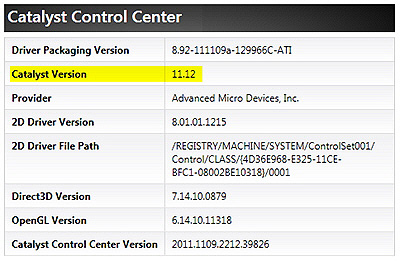
I wouldn’t say the new driver boosts the FSX’s performance obviously.   Also my observation is subjective.   However, my FSX running under this 12.8 version does give me an impression that it is above the overall level of the last 11.12.

Continue reading

174: Change the Aircraft’s Engine Hours

FSX keeps an up-to-date history of the number of hours an aircraft flew, although not all aircrafts display such information.

Centurion T210 and the default Cessna C172 are both equipped with this type of display.   Should someone wants to change it for any reasons:

  1. Open   C:\Users\<User Name>\AppData\Roaming\Microsoft\FSX\SimObjects  folder;
  2. Select the aircraft you want to change, then
  3. Edit the accumulated_time value in the aircraft’s state.CFG file will do.

Not recommended to push it too far; otherwise, you may soon need a new aircraft —- Just kidding.

169: One Press, Two Actions

FSUIPC by Peter Dowson is no stranger to flightsimmers.  But many of us might have no idea of what it really is, even though we are all very likely having a copy of it installed in our systems.

Part of the reason is because the unregistered (free) version of the program is merely to provide necessary I/O communications between FSX addons (either software or hardware) and the simulation system.   And the process works hiddenly in the background.

The unlocked version, on the other hand, is indeed very powerful and comes with many sophisticated functions for the building of an advanced system.   However, these features are not designed for average users.

Here is a simple workout on how to add a second function to virtually any button on the flightsim yoke or TPM with the help of it. Continue reading

152: Downgrade to Radeon Version 11

Besides the latest OpenGL issue with TrackIR, Radeon’s 12.x driver has been giving me a subjective impression that FSX micro-stutters a little bit more than its predecessors.   This is even more significant after upgrading my system with Orbx’s latest patches.
Busy work is the excuse that keeps me using this version.   Since I am a bit free this weekend, I downgraded the video driver to 11.12 to verify my subjectivity a fuss or not.

Continue reading

151: Enriching One’s Pilot Reward Collection

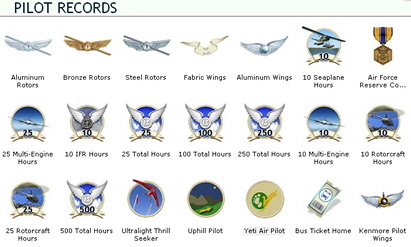
Besides missions, many rewards in FSX could be collected from regular free flyings.   These rewards are called Sandbox Rewards because the world in FSX is like a sandbox in which one can explore without limitations except challenges and realism levels people set for themselves.

Followings highlight eight quick Sandbox Rewards one could easily obtain by just landing at the airports specified.   These places, indeed, are fun to visit, too.
Continue reading

148: Blowing Up Moving Map

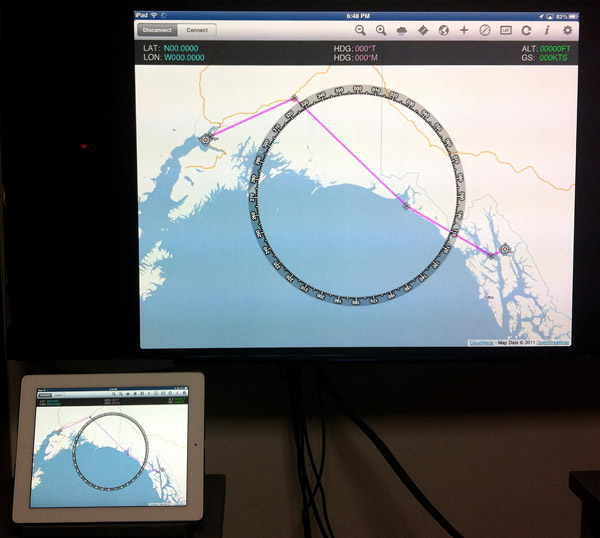
Via FSWidgets iGMapHD, iPad can be turned into a moving map device as reported in Post 63 and adds a lot of fun to FSX experience.   However, should some one find the iPad display too small to read or want to be felt like in a flight control tower…  Well, what about putting the moving map onto a 52-inch or larger TV set?

Continue reading

147: Wing Leveler Fix for FBW Aircrafts

A fan reported that my earlier Post 123 regarding Disable Unintended Auto-Pilot Wing Leveler doesn’t work on FSX’s default Airbus A321 and requested help for a fix.

The issue is caused by the activation of Fly-by-Wire (FBW) function on the aircraft and  followings are two solutions:

FIX 1:

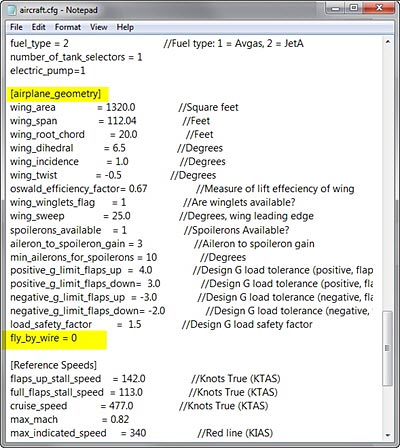
Open aircraft.cfg of A321 and modify the parameter of  fly_by_wire from 1 to 0 under the [airplane_geometry] section

fly_by_wire=0

This will disable the fly-by-wire function simulated on the aircraft and allows the Auto-Pilot Wing Leveler (Ctrl-V) to work.

FIX 2:

Continue reading

132: Zoom Functions Frequently Ignored

Zoom In and Zoom Out are two of the most frequently used functions in FSX.    In contrast, the Chase Distance Increase and Chase Distance Decrease features are seldom used relatively.

Background Zoom Level Remains Unchanged

Compared to Zoom In or  Zoom Out that enlarges or reduces all objects in the scenery, the Chase Distance Increase acts like pushing the aircraft away from you and the Chase Distance Decrease pulling the aircraft closer to you, both keeping the zoom level of the background scenery unchanged.

This could create quite a dramatic effect in a flightsim session.

By default, these two “zooms”  are assigned to key-combo [CTRL][-] and [CTRL][=] respectively.    They can easily be re-assigned to any buttons on external panels or yokes via Settings in FSX.

129: The Moon and The Stars

For anyone who likes to fly at twilight or in the night, the following two enhancement tools shouldn’t be missed.

The HD Moon Texture by Marco Fischbach can replace the default FSX moon texture (64×64) with one of its higher resolution moon texture sets — 2048×2048, 1024×1024 and 512×512.

My recommended choice is the 1024×1024 set, which is good enough to render a pretty and realistic lunar terrain effect, without sacrificing FSX performance.

The latest version 3 can be downloaded from FlightSim.com here.

Continue reading