104: Kill UTX in Orbx Regions

Lately, I’ve been helping scenery checking for Return to Misty Moorings’ coming Cambria Icefield Research Project (CIRP).

One team member Guy Maricich (known as Spud) commented the anomalies I reported as follows:

Due to time differences, installation differences and ‘the eye of the beholder’ differences there will always be anomalies showing.   Tom for instance, seems to have some objects that are floating more so than others do.   I suspect either he has addon MESH or something else that is causing him to see things a wee bit different than most of the rest of us. Continue reading

103: fsx.CFG – SmallPartRejectRadius

Small objects with 1 pixel in size far in distance are normally hidden by FSX, until the aircraft is approaching close enough.   By expanding small objects with larger pixels to this hidden group could bring noticeable performance improvement.

SmallPartRejectRadius allows the specifying of pixel size of small objects to be included to the list.

This function does not appear in fsx.CFG by default.   To use the function, Continue reading

102: Safely Switching Between Orbx Regions

Many months ago, I encountered errors a number of times when switching between Orbx’s NA and AU regions with FTX Central utility.    Since then, I started using the following approach:

Whenever switching from NA region to AU region or vice versa, I will switch to Default FSX region first as an intermediate step.

Continue reading

99: Figuring Out Your FlightSim Experience

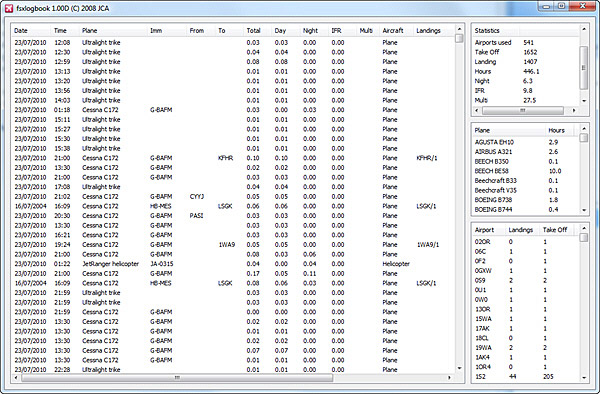
FSX Loglook, written by Jean-Christophe Arnulfo, is quite a useful tool in displaying accumulated figures about one’s flightsimming experience.

It extracts following information:  Continue reading

98: fsx.CFG – Shift-Z Parameters

Someone just asked if there is any way to change the font size and color of the Shift-Z text.   Unfortunately, there isn’t any as far as I know, although some people reported that the paid version of FSUIPC might be able to change the color of the text.   But still, font size seems to be hardcoded and can’t be changed.

Anyway, this reminds me that in addition to the AverageFrameRate previously discussed when Shift-Z is pressed, there are a few more parameters that can be applied to the Shift-Z display as well: Continue reading

96: Standardize Panel Key Assignment

Many third-party aircrafts have their own set of keys assigned to different panels.
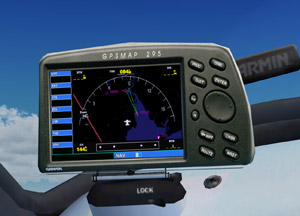
For example on default aircrafts, pressing SHIFT-3 will invoke the GPS panel.   But this key-combo is not necessarily able to call up the GPS panel on Carenado and Aerosoft aircrafts.

If one has assigned an external button, say button 3 on a Saitek FIP, for the GPS panel, the difference between the default and third-party aircraft panel key assignment therefore will be quite annoying when aircrafts are changed.

To standardize panel key assignments across different aircrafts: Continue reading

95: fsx.CFG – Fiber Frame Fraction

Performance of FSX is greatly affected by the amount of time CPU spending between foreground operation and background data scenery loading.  The lower the framerate is set, the more CPU time is devoted to loading scenery and texture.

FIBER_FRAME_TIME_FRACTION is a direct command that helps tune the amount of time per frame that CPU runs fiber jobs.   Continue reading

92: fsx.CFG – RejectThreshold

RejectThreshold is a command that instructs the CPU to bypass the bufferpool when a specified amount of graphics data is reached.   Before that threshold, all data are kept sending to the bufferpool.

This function can be used in association with the PoolSize command to improve system stability.

Continue reading

91: fsx.CFG – TERRAIN_MAX_AUTOGEN

The default quantities of trees and buildings auto-generated in FSX are 4,500 and 3,000 respectively.

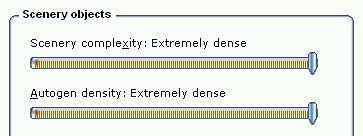
When one sets the IMAGE_COMPLEXITY and AUTOGEN_DENSITY to the maximum, reducing either or both of these two quantities for trees and buildings could bring a significant performance improvement while maintaining a good level of image complexity and density.
Continue reading