During the testing for my Cockpit View display, I needed to switch back and forth numerous times between the Normal View and the Wide View. And the files involved with the necessary changes are:
fsx.CFG
(Prepar3D.CFG)
Cameras.CFG
aircraft.CFG
To avoid confusion while making changes to these files directly, I instead created two additional copies from each of them and named these new files the “-Normal” version and the “-Wide” version accordingly:
Although my cockpit display has already reached the widest possible angle from the aircraft.CFG settings (InitialZoom=0.3 and WideViewAspect=False) stated in last post, I still couldn’t help asking myself in the last two months if it is possible to further widen it. The longer I flightsim with the setting, the stronger desire I want to expand the cockpit-span angle.
No doubt, the cockpit view (aka Normal View) from above configurations is giving quite a prominent result than the one from my previous single 30-inch monitor set up. However, it is still comparatively narrow because the horizontal field of human eyes could reach up to 180 degrees or beyond even though the effective range is about 70 to 120 degrees.
Solution, obviously, could only be sought from changing the WideViewAspectfrom False toTrue. And surely the prerequsite of keeping the glare-shield true to scale remains unchanged.
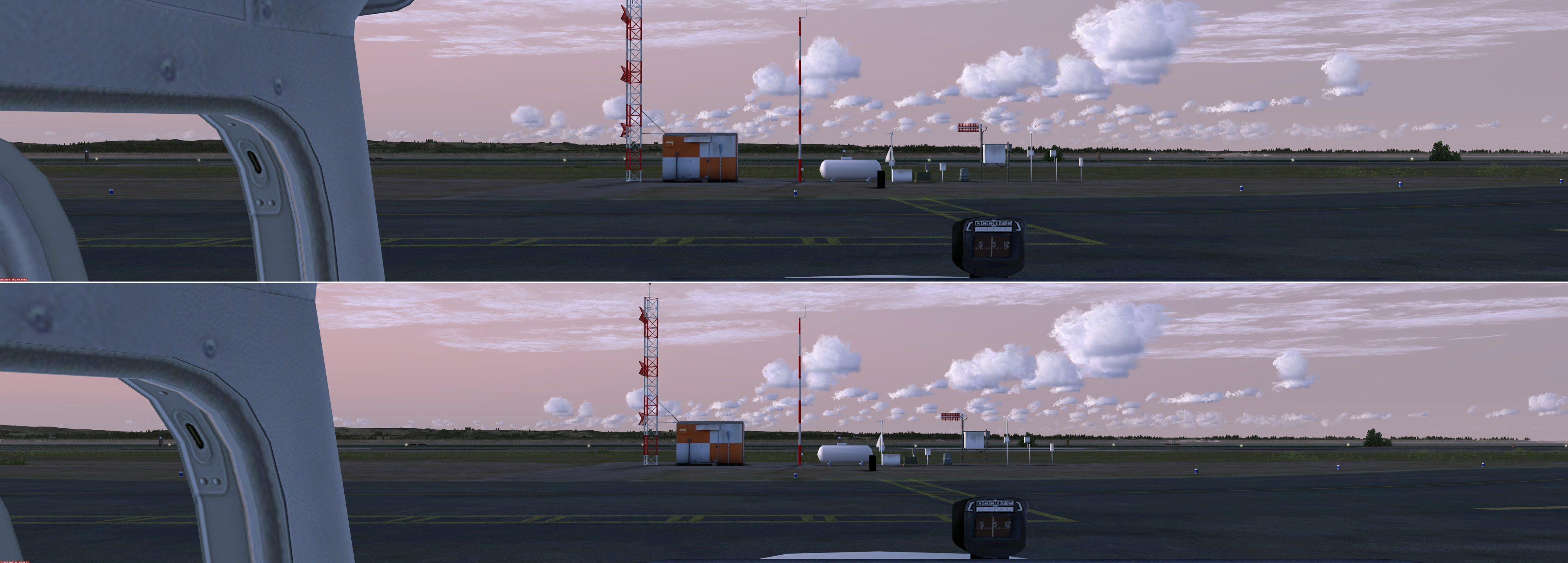
The overall range of display (bottom image) has roughly improved by about 10 percent with no significant distortion towards the edges on both ends
With the three 27-inch monitors in place, I’ve been able to bring up a glare-shield of the Cessna 172 panel that matches the size of 41 inches (105 cm) as if in the real cockpit. To achieve the result, I set InitialZoom=0.3 in the Virtual Cockpit of the aircraft.CFG, and WideViewAspect=False in either fsx.CFG or Prepar3D.CFG.
This creates the widest scenery display in front of the wind-shield from my 8040 x 1440 monitor-combo, without the appearance of distorted scenery objects towards the edges on both ends (see image below).
Click to see full image in 50% of the original size
Time flies. The next Anniversary of FSX Times is coming in two months. FSX Times will be four years old.
In the note for the last Anniversary day, I mentioned that it’s very likely that I would set up a Donation link for my blog so that I could get some free cups of coffee while sharing my hours of works and creations for the flight simulation friends.
Unfortunately, Paypal’s requirements towards oversea donation uses are harsh. In my country, only registered charity organizations would get their approvals.
Since I’ve developed many gauges for the flight instrument panel (FIP) users for free for years, I believe it shouldn’t be irritating if I charge a small price for some of the new gauges that are complex and time-consuming to build. Updates to these gauges, of course, will be free and be on high priority.
Really don’t have much to update lately since I’ve been spending most of my flighsim time in finetuning various aspects of the new P3Dv2 platform based on my previous FSX experience.
Yes, P3Dv2 is now my core simulator as it no doubt excels FSX in many features once it is set up properly.
Regarding the pedals, I found lowering the overall Flight model in Realism to medium level would further enhance taxi-maneuvering without hampering the realistic rudder experience I had on the real airplane.
The rudder pedals in simulation are really hard to tame. Followings are the updated settings for the brake and rudder axes that I have further reduced, in coordination with the rudder_effectiveness set to 50% as described in Post 242.