RESTORE
Follow the steps below to restore your drivers after a reinstallation:
6)
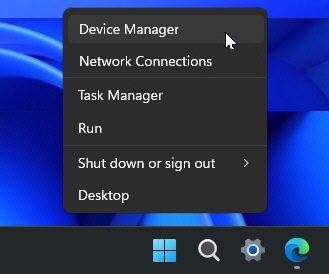
Press Windows Key + X or right-click the Start menu button. Then select Device Manager from the menu.
 Continue reading
Follow the steps below to restore your drivers after a reinstallation:
6)
Press Windows Key + X or right-click the Start menu button. Then select Device Manager from the menu.
Continue reading
There are occasions when we may need to perform a clean reinstallation of Windows or rebuild our flight simulation systems. However, manually reinstalling all drivers afterward is often one of the most tedious and time-consuming tasks.
Here’s an effective, time-saving solution to back up and restore all drivers for a smooth transition.
–
1)
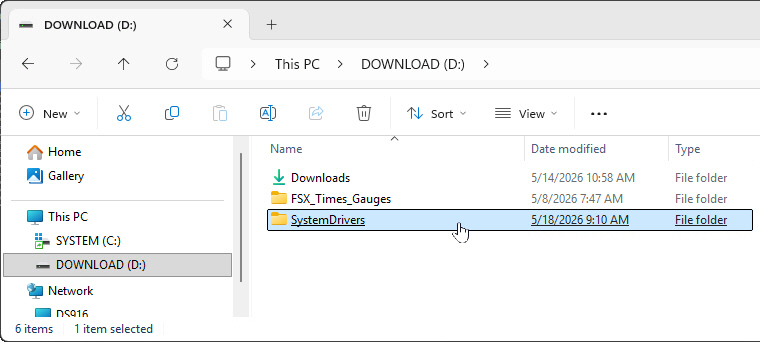
Create a new folder called “SystemDrivers” (or any name you prefer) on a drive other than your main C:\ drive. For example, I created mine on the D:\ drive as my backup destination.